WordPress Media Provenance, Advanced Media Provenance and Integrity Monitoring for WordPress
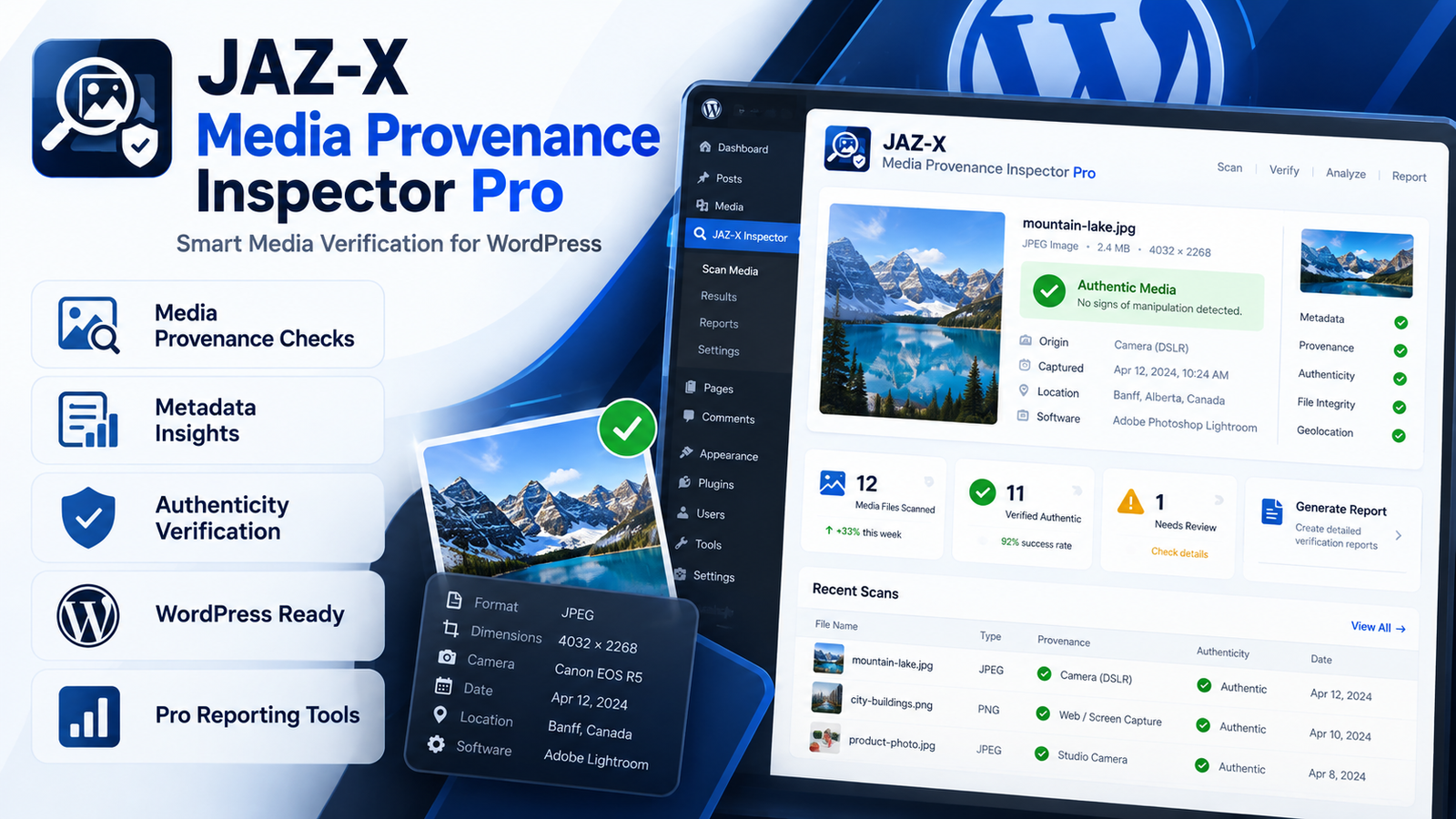
JAZ-X Media Provenance Inspector Pro is an advanced monitoring and audit extension for WordPress administrators who need better visibility into changes made to their website media files.
Built on top of JAZ-X Media Provenance Inspector Free, the Pro edition adds continuous integrity monitoring, saved media baselines, detailed change history, WooCommerce image monitoring, email alerts, CSV reporting, and authenticated REST API access.
Instead of relying only on a one-time media scan, the Pro version allows administrators to establish a reference state for individual attachments and compare the current physical file against that saved state over time. This makes it useful for websites where media integrity, provenance records, product imagery, publishing workflows, or audit history are important.
Per-Attachment Integrity Baselines
WordPress Media Provenance, Every monitored attachment can have its own dedicated Pro baseline.
The plugin can record the current state of a media file and later compare fresh scans against that reference. This allows administrators to identify whether important properties of the source file have changed.
You remain in control of when a new baseline is accepted. A changed file is not automatically treated as the new trusted reference simply because it was detected.
Monitor Individual Media Files
WordPress Media Provenance plugin، The Pro edition provides direct monitoring controls for individual attachments.
Administrators can use Monitor Now to perform a fresh scan, compare the file with its existing baseline, record detected changes, and advance the saved baseline where appropriate.
This provides a convenient way to investigate a specific image without running a full Media Library scan.
Recheck Integrity
Use Recheck Integrity Now when you want a fresh inspection of the attachment.
WordPress Media Provenance plugin can perform another integrity scan and, where applicable, support browser-side C2PA re-verification through the Free plugin’s verification system.
This is particularly useful after a file has been replaced, edited, optimized, regenerated, or otherwise modified.
Force Compare Without Changing the Baseline
Sometimes you need to inspect a changed file without accepting the new state.
The Force Compare feature performs a fresh scan against the saved baseline while deliberately leaving that baseline unchanged.
WordPress Media Provenance plugin is useful for troubleshooting, controlled testing, or investigating unexpected media changes without overwriting your previous reference point.
Set the Current File as a New Baseline
When a change is legitimate and approved, administrators can explicitly use the Set Current File as New Baseline control.
This provides a clear workflow:
- Detect a change.
- Review the result.
- Confirm that the change is expected.
- Accept the current file as the new reference state.
This manual re-baselining model helps preserve meaningful audit history.
SHA-256 Source File Change Detection
WordPress Media Provenance plugin، JAZ-X Media Provenance Inspector Pro uses SHA-256 comparison as part of its integrity monitoring.
If the bytes of a monitored source file change, the plugin can detect the difference between the current file and its saved state.
This helps identify physical file replacement or modification even when the filename and WordPress attachment ID remain unchanged.
C2PA Status Transition Monitoring
For media containing C2PA-related information, the plugin can monitor changes in C2PA marker and verification status.
For example, the monitoring system can record situations where credential-related information changes between scans.
When source bytes change, the Pro monitoring system can also record that cryptographic re-verification is required, helping administrators distinguish between a stored previous verification result and the current state of the file.
Monitor Derivatives and Credential Changes
WordPress commonly generates multiple image sizes from an uploaded original.
JAZ-X Media Provenance Inspector Pro can track changes associated with derivatives, including derivative hash changes and credential-loss or restoration events.
This is especially useful when image-processing workflows create resized versions that no longer contain the same credential-related metadata as the original source.
Detailed Integrity Event History
Each monitored image can maintain its own integrity event history.
Instead of showing only the latest result, the Pro edition keeps a persistent record of relevant monitoring events so administrators can understand how a media asset has changed over time.
This can assist with internal review, troubleshooting, publishing workflows, and media audit processes.
Automatic Hourly Monitoring
The plugin includes a bounded hourly monitoring sweep for media already inventoried by the Free edition.
Administrators can configure the number of assets processed during each monitoring batch, allowing the system to perform regular checks without attempting to rescan an entire large Media Library in one operation.
Event retention is also configurable.
WooCommerce Product Image Monitoring
For WooCommerce stores, the Pro edition can monitor product images and gallery images after product updates.
This adds an additional media-integrity layer around some of the most commercially important images on an online store.
It can be especially useful when several administrators, editors, import tools, optimization systems, or product-management workflows interact with WooCommerce media.
Email Digest Alerts
Optional email digest notifications can be enabled for warning and critical integrity events.
Instead of checking the dashboard continuously, administrators can receive a summarized alert when relevant monitoring events are recorded.
The destination alert email can be configured through the Pro settings.
CSV Audit Report Export
JAZ-X Media Provenance Inspector Pro includes CSV report export functionality.
This makes it easier to take monitoring and integrity information outside WordPress for:
- Internal audits
- Record keeping
- Spreadsheet analysis
- Compliance documentation
- Client reporting
- Operational reviews
Authenticated REST API Access
Advanced users and developers can access monitoring information through authenticated REST API endpoints.
The Pro edition provides administrator-protected endpoints for monitoring summaries and recent events.
Access requires WordPress authentication and the appropriate manage_options capability, helping prevent public access to administrative monitoring information.
Security-Conscious Architecture
JAZ-X Media Provenance Inspector Pro does not store private C2PA signing keys inside the WordPress database.
The current plugin is focused on inspection, verification support, monitoring, integrity history, alerts, and reporting.
Automatic production signing or re-signing is not presented as part of the current Pro plugin. Any future secure signing workflow is intended to use a dedicated signing service or module rather than storing sensitive production signing keys directly in WordPress.
Designed to Work with the Free Edition
The Pro version extends the existing JAZ-X Media Provenance Inspector architecture rather than replacing it.
Requirements:
- JAZ-X Media Provenance Inspector Free 0.3.4 or newer
- WordPress 6.2 or newer
- PHP 7.4 or newer
The Free edition provides the underlying media inventory, hashing, C2PA inspection, and browser-side cryptographic verification capabilities, while Pro adds the continuous monitoring and operational audit layer.
Why Choose JAZ-X Media Provenance Inspector Pro?
If your WordPress website depends heavily on original media, product photography, publishing assets, or provenance-aware workflows, simply knowing that an image exists is often not enough.
JAZ-X Media Provenance Inspector Pro gives administrators a structured way to monitor changes, compare files against known baselines, record integrity events, investigate individual assets, monitor WooCommerce imagery, and export audit information.
It turns media provenance from a one-time inspection into an ongoing WordPress monitoring workflow.
Recommended WooCommerce Feature List
✓ Per-Image Integrity Baselines
Track the current media state against a saved reference.
✓ SHA-256 Change Detection
Detect changes to the actual source-file bytes.
✓ C2PA Status Monitoring
Track credential-related status transitions and re-verification requirements.
✓ Detailed Event History
Review integrity events for individual attachments.
✓ WooCommerce Image Watch
Monitor product and gallery imagery after product updates.
✓ Automatic Hourly Monitoring
Run controlled monitoring batches automatically.
✓ Email Alerts
Receive optional warning and critical-event digests.
✓ CSV Audit Reports
Export monitoring data for analysis and documentation.
✓ REST API Access
Integrate monitoring summaries and events with authorized workflows.
✓ Manual Re-Baselining
Review changes before accepting the current file as the new baseline.
Developed by JAZ-X Innovation.
Looking for intelligent search for WordPress content? Explore VoxFind AI Search Pro
Reviews
There are no reviews yet.