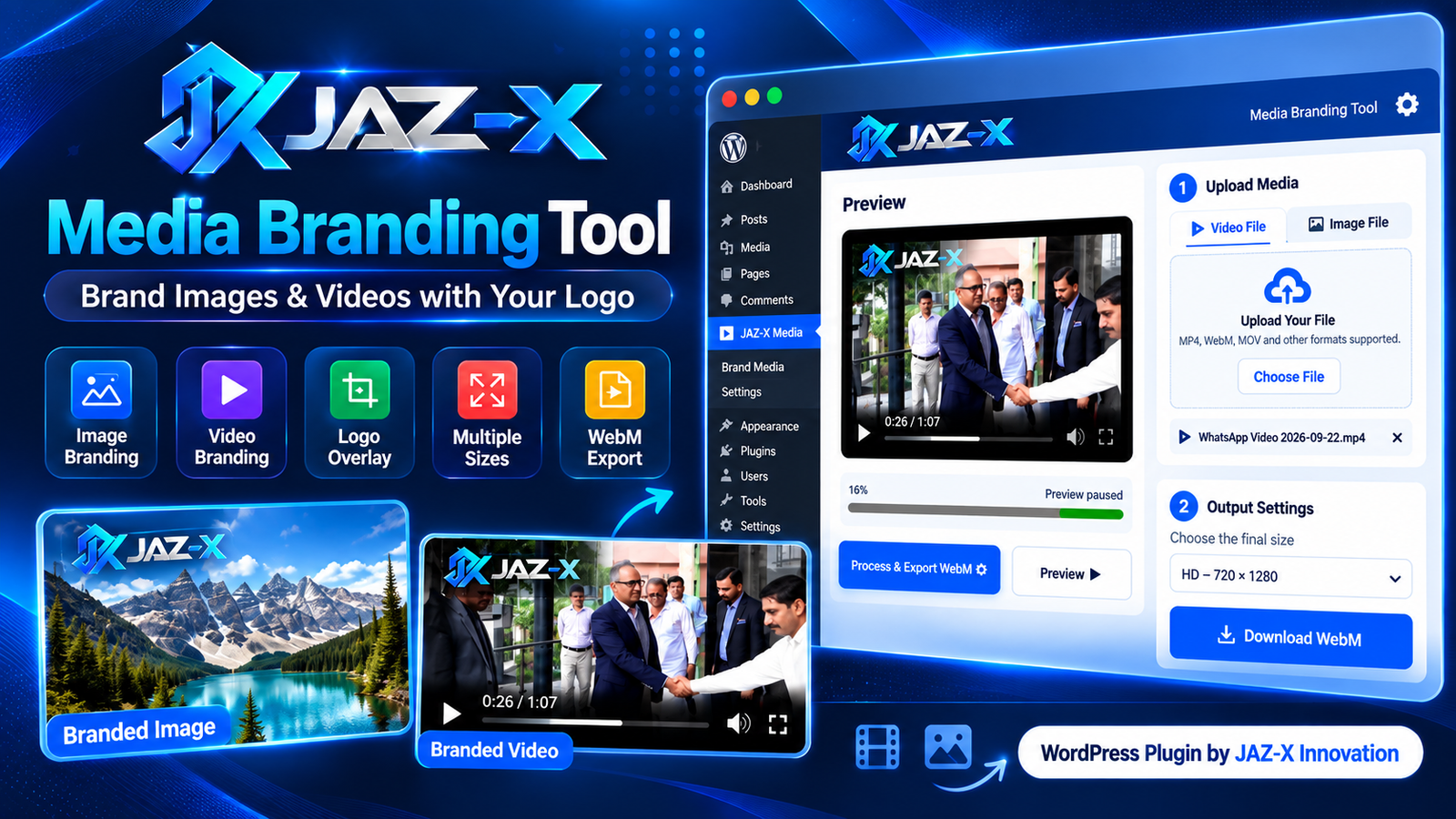
JAZ-X Media Branding Tool is a lightweight and user-friendly WordPress plugin designed to help website owners, publishers, marketers, agencies, and content creators quickly brand their images and videos with a custom logo or watermark.
The plugin provides two dedicated branding modes: Image Branding and Video Branding, both available inside one modern and responsive interface.
Users can upload an image or video, add their logo, choose its position, adjust its size and opacity, select the required output dimensions, and export the finished branded media directly from the browser.
Media processing is performed locally inside the user’s browser whenever supported, helping keep uploaded files private and reducing unnecessary server processing.
Main Features
- Image and Video Branding in one tool
- Upload your own logo or watermark
- Multiple logo position options
- Adjustable logo size
- Adjustable logo opacity
- Logo padding and spacing controls
- Responsive and professional interface
- Multiple image output size presets
- Multiple video output size presets
- Custom width and height support
- Image fit options: Cover, Contain, and Stretch
- Video fit options: Cover, Contain, and Stretch
- Image export in PNG, JPG, and WebP formats
- Adjustable JPG and WebP quality
- Video export in WebM format
- Video processing progress indicator
- Audio preservation where supported by the browser
- Separate Image and Video workspaces
- Works on desktop, tablet, and mobile devices
- No external API required
- No OpenAI API key required
- Local browser-based media processing
- Simple WordPress shortcode integration
How to Use
- Install and activate the JAZ-X Media Branding Tool plugin in WordPress.
- Create or edit any WordPress page or post.
- Add the plugin shortcode to the page.
- Publish or update the page.
- Open the page on the front end.
- Select either Image Branding or Video Branding.
- Upload your image or video.
- Upload your logo or watermark.
- Choose the logo position.
- Adjust logo size, opacity, and other available settings.
- Select an output size or enter custom dimensions.
- Preview the branded media.
- Export and download the finished image or video.
Shortcode
Use the following shortcode on any WordPress page or post:
[jazx_media_branding_tool]
Example
Create a page called:
Media Branding Tool
Then add:
[jazx_media_branding_tool]
Publish the page, and the complete Image & Video Branding Tool will appear automatically.
Image Branding
The Image Branding section allows users to upload an image and apply a custom logo or watermark.
Available export formats include:
Users can select common social media and website image dimensions or enter their own custom width and height.
Video Branding
The Video Branding section allows users to apply a logo or watermark to uploaded videos.
Available size presets include formats suitable for:
- HD Video
- Full HD Video
- Square Social Media Posts
- Portrait Content
- Stories and Reels
- Custom Video Dimensions
Branded videos are exported in WebM format using browser-supported video processing.
Privacy
JAZ-X Media Branding Tool is designed to process media directly inside the user’s browser whenever supported.
Images and videos do not need to be sent to an external branding service, helping provide a faster and more privacy-friendly workflow.
Recommended Browser
For the best video processing and WebM export experience, the latest versions of Google Chrome or Microsoft Edge are recommended.


Reviews
There are no reviews yet.